
CQC compliance software for staff references
RefAssure does one part of CQC compliance well: getting staff references back and keeping the evidence an inspector asks to see.
What does CQC compliance software for references do?
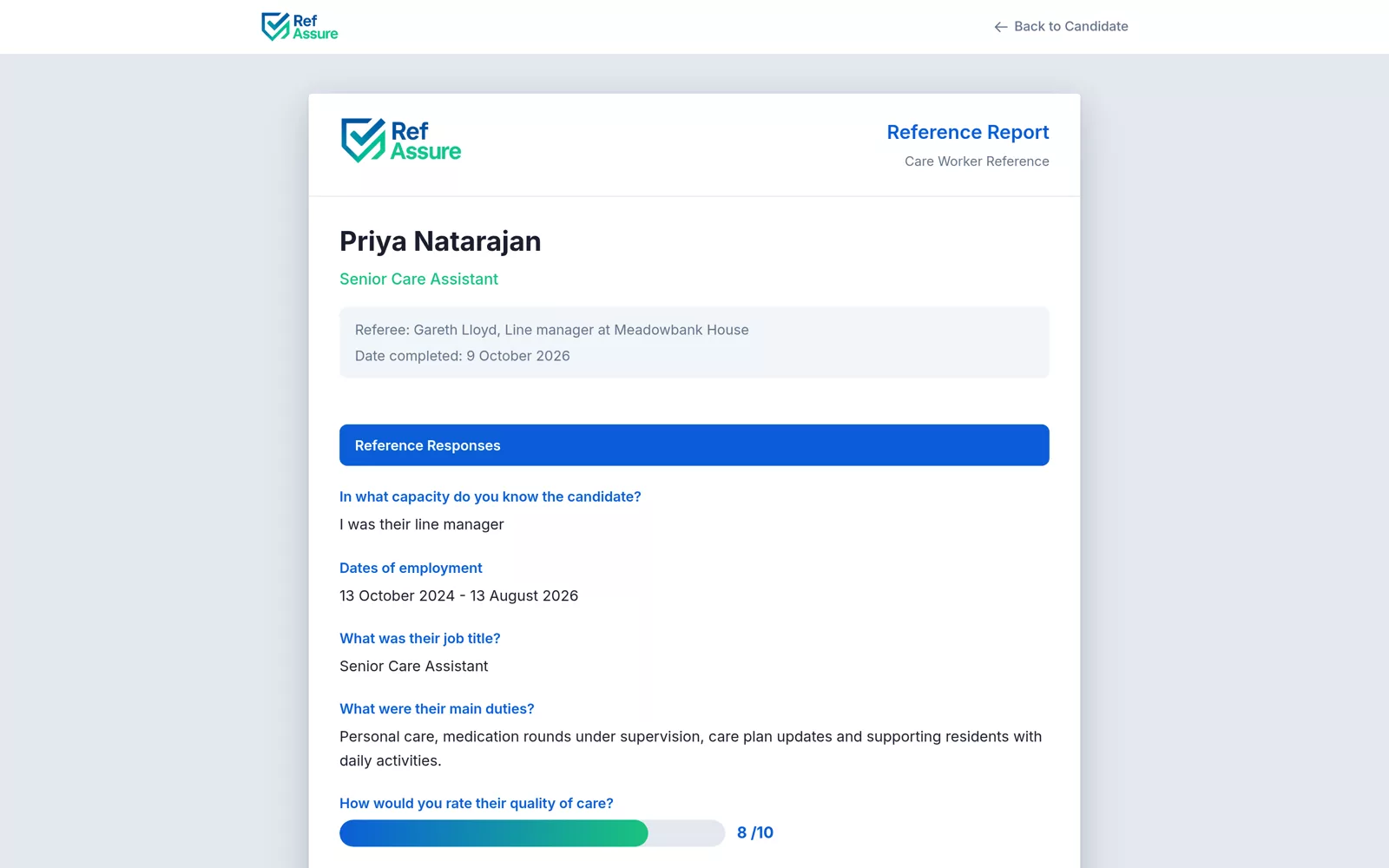
CQC compliance software for references collects candidate consent, sends requests to referees, chases them and stores the signed replies with a timestamped audit trail. RefAssure does exactly that part of safe recruitment, giving you evidence for Regulation 19 and Schedule 3 that is ready to show an inspector. It is not a care planning or rota system. Your first reference is free.
What care compliance software covers, and what we cover
"Care compliance" spans a lot: care plans, medication records, policies, training, rotas, incident logs and staff files. Some platforms try to do all of it. RefAssure does not. It focuses on one job that often goes wrong in inspections: references for new staff, collected properly and recorded so you can prove it.
That focus means it sits alongside whatever care management or HR system you already use. You download the PDF and file it in the staff record, wherever that lives.
Where references sit in CQC compliance
Regulation 19 of the Health and Social Care Act 2008 (Regulated Activities) Regulations 2014 requires providers to employ fit and proper persons and to hold the information in Schedule 3. For references, that means:
- Satisfactory evidence of conduct in previous employment in health or social care, or with children or vulnerable adults.
- Where the person worked with children or vulnerable adults, verification of why that employment ended, so far as reasonably practicable.
- A full employment history, with a satisfactory written explanation of any gaps.
Why the process matters as much as the reference
A reference on file proves someone answered some questions. It does not show the reference came from the right person, that the candidate agreed to it, or that it arrived before the first shift. Those are the questions that turn a tidy-looking file into a finding. A dated record of consent, each request and reminder, and the signed reply answers them without anyone having to search old inboxes or remember what happened.
It also helps when things go wrong. If a referee never replies, a log of every attempt shows you took reasonable steps and explains why another referee was used. If an email bounces, you know within minutes rather than finding out a week later.
Inspectors look at recruitment files under the Safe key question, including the quality statement on safe and effective staffing. See our guides to CQC Regulation 19 and the CQC inspection checklist.
What the audit trail shows an inspector.
A reference form on its own proves someone answered. The audit trail shows how and when.
Consent first
The candidate's signed consent, timestamped before any referee was contacted.
Direct from the referee
Each request sent to the referee's own address through a unique secure link.
Every reminder
Each chase email and text logged with its date, so delays are explained.
Before the start date
The completion date, so you can show the reference was in place before the worker started.
Signed answers
The referee's full answers and signature, not a summary typed up later.
Problems flagged
Bounced emails flagged, most within minutes, so a wrong address does not stall a start.

Paper file vs RefAssure record.
| Email and paper | With RefAssure | |
|---|---|---|
| Consent | Often missing or implied | Signed online before contact |
| Chasing | When someone remembers | 5 emails and up to 2 texts over 12 days |
| Referee verification | Personal email, hard to trace | Unique link, signed reply |
| Dates for the inspector | Rebuilt from inboxes | Timestamped in one PDF |
| Cost | Staff time on every chase | From 80p, no monthly fee, no VAT added |
Your questions, set once.
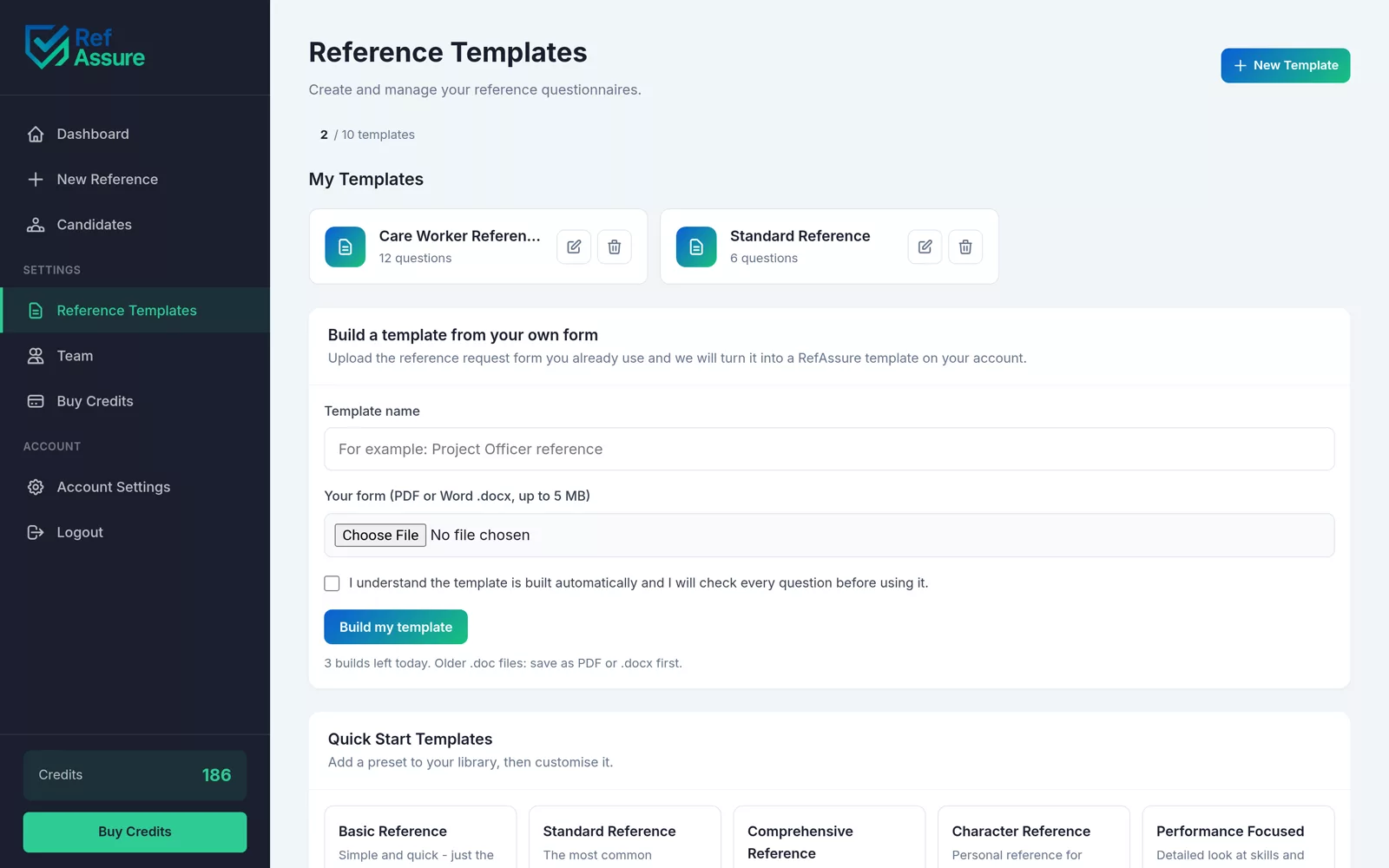
There are no ready-made CQC templates. Add the questions your sector expects to your template once, or upload the form you already use.
- Upload a PDF or Word form and it becomes a template in about 20 seconds
- Up to 25 questions: text, yes/no, 1 to 10 rating, dates
- Up to 10 templates per account, shared by your whole team
- Unlimited team members on shared credits that never expire
CQC compliance software questions
More in the full FAQs.
Is RefAssure CQC approved?
CQC does not approve or endorse software. RefAssure gives you the reference evidence that supports Regulation 19, ready to show an inspector. Meeting the regulation is still your responsibility as the provider.
Does RefAssure do DBS checks?
No. RefAssure handles references and employment history. DBS checks go through the Disclosure and Barring Service or a registered umbrella body. See our DBS checks guide.
Does CQC accept digital references?
Yes. CQC is interested in whether the information is satisfactory and available, not whether it is on paper. A signed PDF with a timestamped audit trail is easy to produce at inspection.
How many references does CQC require?
Schedule 3 does not set a number. It asks for satisfactory evidence of conduct and reasons for leaving care work. Most providers ask for two, including the most recent employer. See CQC reference checking.
How long should reference records be kept?
Keep them for the length of employment and for a period afterwards set in your retention policy and privacy notice. You can download each PDF and store it in your own system.
Does it work for care agencies as well as care homes?
Yes. Domiciliary care, residential, supported living and care agencies all use the same process. See domiciliary care.
What does it cost?
Your first reference is free after you confirm your email, with no card. Then from 99p down to 80p each. See pricing.
Related guides
Reference evidence ready for inspection.
Your first reference is free. Every step is logged in a signed PDF.